 AI Essay
On this page
Compare your instructions and draft a question
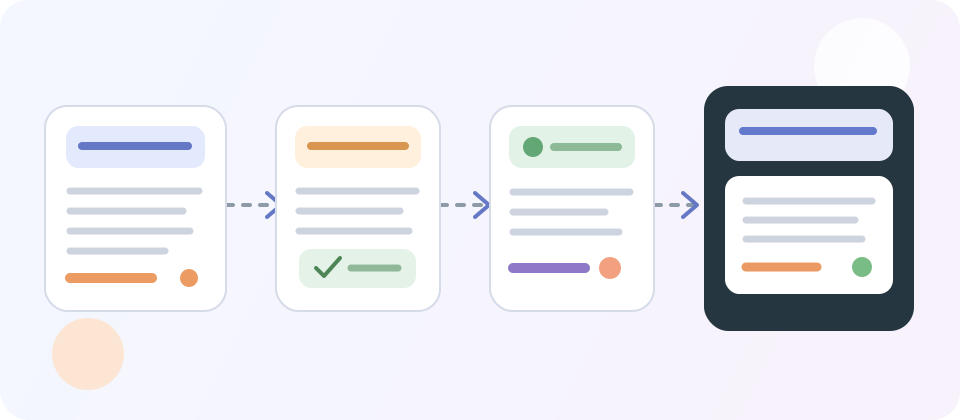
This worksheet stays in this browser tab. It does not send or automatically save what you enter. Record a short excerpt and its location; do not paste an entire course document or private student information.
The selections record your own reading. They do not interpret a policy or determine whether a use is allowed.
For example: “Ask the chat feature to explain a concept from my own notes before I write the lab discussion.”
Add only the relevant words and the document location.
Add only the relevant words and the document location.
Compare the wording you recorded above; this worksheet does not decide which instruction takes precedence.
Review the wording, replace placeholders and send it through your course’s usual channel. You can also print this section for your own notes.
Check both the course rule and the assignment instructions
Start with the documents that apply to the course and the specific task: the syllabus, assignment brief, rubric, course announcements and any linked academic-integrity guidance. Record the title, version or location of each instruction so you can return to the actual wording. A general article about AI or a service’s own description does not establish your instructor’s rule.
Northern Illinois University tells students to check the syllabus and assignment instructions and to ask their professor if they are unsure whether or how a tool may be used. The University of Virginia gives similar advice and warns that expectations can differ between instructors and assignments. These universities describe their own guidance; they do not set rules for your course.
Read any stated order of precedence. The University of Connecticut’s sample syllabus guidance says assignment-specific directions take precedence over its example course statement. That is one institution’s wording, not a universal hierarchy. If your documents do not explain which instruction controls, ask the course instructor rather than choosing the rule you prefer.
Name the exact AI action before deciding
“Use AI” can describe different work. Separate asking for an explanation, generating practice questions, brainstorming, locating candidate sources, summarizing a reading, translating, checking grammar, rewriting your sentences, drafting new prose, producing code or analyzing data. If the tool has distinct modes, name the specific feature as well as the product.
UConn’s instructor guidance recommends describing permitted and prohibited uses and whether expectations vary across assignments. UVA likewise asks instructors to define acceptable and unacceptable uses for each task. For a student, the practical implication is to compare the planned action with the words in the actual instructions; a broad label such as “editing” may not answer whether generative rewriting is covered.
Describe your intended use in one plain sentence: “I am considering asking [tool or feature] to [specific action] on [kind of material] before I submit [assignment].” Do not omit an important detail such as uploading lecture slides, using a chatbot to draft an argument, or asking a writing assistant to replace whole sentences.
Keep permission, disclosure and data handling separate
Finding a rule about one part of AI use does not settle every other part. Check separately whether the action is allowed, whether you must acknowledge or cite assistance, which tools or accounts are approved, what you may enter into them, and what process records you must retain. NIU and UConn both advise instructors to make disclosure expectations and data boundaries clear; your own course instructions remain the source for your assignment.
A citation or acknowledgement records assistance; it does not by itself make a use permissible. Likewise, a permitted use does not establish that the generated claim, reference, translation or calculation is accurate. Verify factual material against the original source and follow the stated documentation format.
If the wording is silent or unclear, ask before using the tool
A missing sentence is not a permission statement. York University’s student guidance recommends checking the relevant course documents and asking the instructor when expectations are absent or unclear. NIU and UVA make the same basic recommendation for uncertain cases. Ask about the exact action, not whether “AI” is allowed in the abstract.
A useful message identifies the assignment, the feature and the task you plan to use it for. Include the short course and assignment wording that leaves the question open, and ask about any disclosure or data restrictions that apply. Keep a copy of the response with the assignment materials and follow the instructor’s answer.
Worked example: ask about a specific revision request
Suppose a student is considering a writing assistant that can either flag spelling or rewrite sentences. The syllabus says “use approved support tools,” while the assignment brief says the student must produce an independent analysis. The student has not found a definition of “support tools” or a rule about sentence rewriting.
The student should not infer that both features are approved from the product category. They record the exact syllabus and assignment wording, name the sentence-rewriting feature, and ask whether that action fits this assignment and what acknowledgement is required. If the instructor confirms only spelling checks, the student keeps that scope distinct from generative rewriting.
This is a constructed example, not a real course policy or a recommendation that any particular use is allowed. Replace its wording with the instructions that actually govern your own work.
After use, record what you actually did
If you proceed under the applicable instructions, keep a proportionate record of the tool, feature, task, material assistance, what you retained or rejected and the checks you performed. Describe only what actually happened. Do not reconstruct missing prompts as though they were saved at the time, and do not claim that you verified a source if you did not.
Then follow the assignment’s exact acknowledgement, citation or record format. If the course asks for disclosure, a concise process note may be different from a reference-list citation. Our assistance record is designed to help you organize facts after use; it does not decide whether the use was permitted.
Questions about this topic
Does my university have one rule that covers every assignment?
Not necessarily. The universities cited here describe variation by course, instructor and assignment. Read the current institutional guidance as well as the documents for your own course, and follow the hierarchy those documents actually state.
If the syllabus says AI is allowed but the assignment says nothing, can I use it?
An assignment’s silence is not enough by itself to answer. If the course rule clearly covers the exact action and explains how assignment-specific exceptions work, follow that rule unless a more specific limit applies. If the documents leave the boundary unclear, ask the instructor before relying on the tool.
What if the assignment instructions seem to conflict with the syllabus?
Record the exact wording and where each instruction appears. Some university guidance specifies that assignment directions take precedence; other institutions may set a different hierarchy. Follow the applicable local rule, and ask the instructor to resolve a real conflict before using the tool.
Is grammar checking the same as asking AI to rewrite a paragraph?
They can be different actions and may be treated differently by your course. Name the exact feature and request you plan to use: for example, spelling suggestions, a clarity check, sentence rewriting or generation of new text. Do not rely on a product name alone to describe what happened.
Does permission to use AI also tell me how to disclose it?
No. Permission and documentation are separate questions. Check whether your instructions require an acknowledgement, citation, process note or retained record, and what information and format they specify.
Can I paste my full assignment or syllabus into this worksheet?
You do not need to. The worksheet works with short excerpts and document locations. Keep unpublished course materials and personal details out of any tool unless you have checked that the relevant course and institutional rules allow it.
Does this worksheet tell me whether my AI use is allowed?
No. It records your reading of the documents and helps phrase a question. It cannot interpret every institution’s policy, resolve a disagreement or grant permission.
Sources and editorial notes
The supporting reading below informs our editorial guidance. Exercises and scenarios illustrate a method; they do not report a completed product test or measured learning outcome. Read our editorial policy or send a correction with a supporting source to info@ai-essay.com.