 AI Essay

On this page
Free browser presentation tool
Estimate your presentation by section
Enter a speaking rate, section scripts and the time you expect to spend on pauses. Compare the estimate with an actual rehearsal.
Calibrate your speaking pace
Speak a passage at your natural presentation pace. The stopwatch does not use your microphone.
Add a passage and measure how long it takes to speak.
150 words per minute is a starting reference, not a universal target. Calibrate your own pace above.
Plan the sections
Paste the words you expect to say. Add transitions or demonstrations as pause time.
Times are shown as minutes:seconds. An estimate uses the words and allowances entered; rehearsal times are your own observations.
Three blank sections are ready.
Your script and plan stay in this tab. Nothing is uploaded or saved here.
Estimate presentation time by section
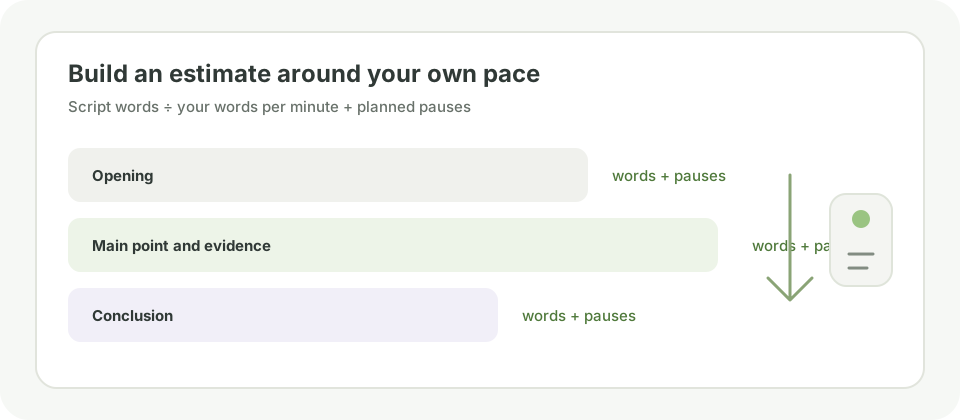
A single script word count gives only a rough speaking estimate. This calculator lets you set a rate in words per minute, count the words in each section, and add planned pauses or transitions separately. You can also record a rehearsal time for each section and compare that observation with the estimate.
Use one row for an opening, key point, example, demonstration or conclusion. If your assignment sets a time limit, enter it and decide whether question time belongs in that limit. The total is a planning estimate from your entries; it does not time a live talk or judge whether the presentation is clear.
Calibrate the rate with your own spoken sample
The starting rate is an editable reference, not a rule. Baruch College explains that speaking rate varies by speaker, topic and context, and suggests timing a spoken sample of at least a minute and repeating it with different prompts. The University of Melbourne gives approximately 150–160 words per minute as a comfortable listening pace and recommends practising a short passage aloud. Neither figure predicts your delivery in a particular class or language.
Paste the words you plan to say in the calibration box, start the on-page stopwatch, and stop after speaking the sample naturally. The tool divides its word count by your measured time to suggest a personal rate. If you already timed the passage elsewhere, enter those seconds manually. Try more than one sample when your sections use different vocabulary or include demonstrations.
Budget for pauses, transitions and questions
Speech does not move at a constant pace. Add seconds for slide changes, demonstrations, pauses or a brief audience prompt rather than silently treating every section as uninterrupted narration. Estimate only what your actual format requires.
Question periods are easy to miscount. Check the assignment or event instructions, enter the planned Q&A duration, and use the switch to include it in the total only when that time is part of your limit. The switch changes the budget comparison; it does not tell you how many questions an audience will ask.
Compare the estimate with a complete rehearsal
The estimate cannot capture emphasis, explanations added in the moment, equipment delays, audience responses or nervousness. Northern Illinois University recommends rehearsing the delivered presentation and planning time for major points or screens. Record the observed seconds beside a section, then rehearse the full presentation with the intended slides, notes and transitions.
If the complete run exceeds the limit, decide what to remove by returning to the assignment and main point. Preserve necessary evidence, qualifications and attribution. A short estimate or a clipped rehearsal is not proof that the talk is understandable or complete; ask a practice listener where the reasoning needs more time.
Supporting reading: [3]
Keep the timing plan in this tab
The calculator does not record audio, send your script to a server or save entries after you close or reload the tab. Download a CSV or print the plan if you want to keep a copy. The spreadsheet export prefixes formula-like cells with a tab to reduce formula execution risk; that prefix remains in the data and may affect programmatic imports.
Questions about this topic
What speaking rate should I use?
There is no universal rate for every speaker, topic, language or presentation. The University of Melbourne describes 150–160 words per minute as a comfortable listening pace, while Baruch College discusses about 150 words per minute as a reference for English speech and recommends measuring your own delivery. Use the editable rate as a starting point and calibrate it with a spoken sample.
How does the word count work?
The calculator counts Unicode letters and numbers. For Chinese, Japanese, Thai, Lao, Khmer and Myanmar scripts it uses browser word segmentation when available; segmentation can still differ from how your class or event counts words.
Does the calculator record my voice?
No. The stopwatch measures elapsed time only; it does not request microphone access or capture audio. You speak the sample yourself and the browser calculates a rate from the words and seconds you enter.
Does Q&A count toward the presentation limit?
That depends on the assignment or event. Enter the planned and observed question period, then include it in the budget and rehearsal comparison only when the stated limit includes it.
Is the result the exact length of my talk?
No. It is an estimate based on the entered word count, rate and pause allowances. Rehearse the complete presentation and compare actual section times before relying on the budget.
Are my script and timing notes saved or uploaded?
No. The inputs remain in the current browser tab. Download the CSV or print the plan if you want to save it; reloading or closing the tab clears the entries.
Sources and editorial notes
The supporting reading below informs our editorial guidance. Exercises and scenarios illustrate a method; they do not report a completed product test or measured learning outcome. Read our editorial policy or send a correction with a supporting source to info@ai-essay.com.