 AI Essay

On this page
Free browser-based builder
Build a PRISMA 2020 flow diagram
Choose the review pathway, enter counts from your review records, and inspect each transition. The diagram is prepared from your entries; your decisions stay yours.
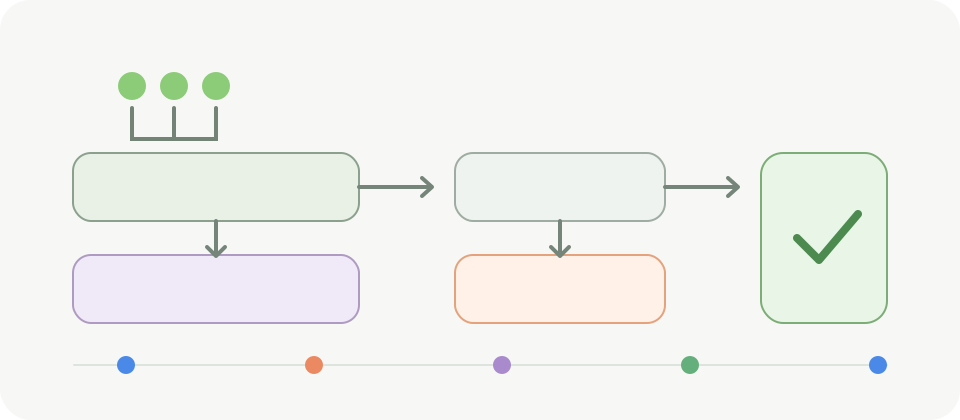
On smaller screens, scroll horizontally to view the full diagram.
Choose the PRISMA 2020 pathway that matches your review
PRISMA 2020 provides different flow-diagram templates for a new or updated systematic review, with a separate choice for searches limited to databases and registers or searches that also use other methods. Choose the pathway that describes the work you actually completed. The generator changes which fields and branches it shows; it does not decide whether the review followed your protocol.
The official PRISMA site says its main 2020 guideline primarily addresses systematic reviews of intervention effects and points to extensions for other review types. If you are preparing a scoping review, diagnostic review, living review or another synthesis, check whether an extension applies and follow your journal, protocol and supervisor instructions.
Keep records, reports and studies separate
A record is an item found in a search, such as a database citation. A report is a document that provides information about a study. A study is the underlying investigation. Several reports can describe one study, and one report can describe more than one study, so these counts are not interchangeable.
The database and register pathway adds the record counts you enter, subtracts duplicates and other pre-screening removals, and then reconciles screening, retrieval and eligibility. When relevant, it keeps records excluded by a human separate from records excluded by automation during screening, as the expanded checklist recommends. For other methods, enter the records identified through websites, organisations, citation searching or another route, then report the associated reports sought and not retrieved. The pathways meet at one final included total, as in the PRISMA 2020 template. Enter the number of distinct newly included studies once across all methods. Keep records identified by each source in the appropriate pathway, while using your screening log to avoid counting the same report as two different documents at report-level stages. The builder derives the included-report total from those pathway counts and your exclusion reasons.
Check each transition without silently changing your counts
The builder derives the next stage only where the flow follows the arithmetic: records identified minus pre-screening removals gives records screened; screened records minus title-and-abstract exclusions gives reports sought; reports sought minus reports not retrieved gives reports assessed. For reports assessed at full text, the sum of your stated exclusion reasons plus reports of included studies must account for the assessed reports.
When a transition does not reconcile, the tool identifies the stage to review and leaves your entered values intact. Go back to the screening log, search export, retrieval notes or protocol records. Do not adjust a count solely to make a diagram balance. If a stage in your actual workflow does not fit this sequence, consult the official template and reporting guidance before presenting a modified diagram.
Report full-text exclusion reasons at the eligibility stage
Add a short reason and count for each category used in your review. The number of full-text reports excluded cannot exceed the number assessed. Reports that could not be retrieved are shown separately; they are not counted as full-text exclusions because their eligibility could not be assessed from an unavailable report.
Use the categories and counting unit that match your protocol and final report. If your team kept multiple notes for an excluded report, select the primary reason for the diagram when your reporting approach requires one, while retaining other details in the internal record. The diagram is an aggregate summary, not a replacement for the underlying decision log.
Report ongoing studies separately when applicable
If your search identified studies that are still ongoing, report their number and the number of associated reports when applicable. These counts describe ongoing studies found in the current search; they are not included in the totals for studies and reports that met the review’s inclusion criteria. Leave both fields blank if this item does not apply, or enter zero for both when you checked and identified none.
The expanded PRISMA 2020 checklist treats ongoing studies and associated reports as conditional reporting items. Check the official flow-diagram template that matches whether your review is new or updated and which sources you searched. The builder keeps these counts separate and cannot determine whether an identified study is ongoing or eligible.
Describe previous and newly identified evidence in an updated review
For an updated review, enter the studies and reports included in the previous version separately from the distinct studies included by the current search. The final box combines them while preserving the previous and current totals in the exported diagram. Count each newly included study once across database, register and other-method searches; do not add pathway counts if a study appears in more than one source.
This builder uses a condensed independent layout: previous and new totals appear together in its final summary rather than reproducing every box in the official updated-review template. Check the exact template for your source configuration when the required reporting layout matters. If an included study has new reports, record those relationships consistently with your protocol and PRISMA instructions; the tool cannot identify study-report links from citation text.
Review the editable diagram before you use it
The builder runs in your browser. It does not upload or automatically save the counts. Export creates an SVG file on your device; printing lets you save a PDF through your browser. Open the exported file in a vector editor or document workflow and check that its labels, dimensions and typography fit your manuscript before submission.
This is an independent educational tool that adapts the structure of the PRISMA 2020 flow diagram under its Creative Commons Attribution 4.0 license. It is not endorsed by the PRISMA Group and does not establish PRISMA compliance, validate the review records, assess study eligibility or replace the official template. The exported diagram includes attribution; keep it if you adapt the SVG.
Questions about this topic
Is this an official PRISMA flow diagram generator?
No. It is an independent browser-based educational tool with a condensed layout that adapts the PRISMA 2020 flow-diagram structure and attributes the licensed source. Updated-review prior and new totals appear together in the final summary. Consult the exact official PRISMA template and applicable reporting guidance when you need its prescribed layout; the official site also links a Shiny app.
What is the difference between a record, report and study?
A record is a search result, a report is a document describing a study, and a study is the underlying investigation. Multiple reports may describe one study, so report and study totals can differ.
Can I use this for an updated review?
Yes. Choose the updated-review option and enter the prior review’s included study and report counts separately. Enter the distinct studies included in the current review once across all search methods. The tool adds those to the previous-review totals; verify the result against the official updated-review template.
How should I report ongoing studies?
When applicable, enter the number of ongoing studies identified and their associated reports in the separate fields. These counts are not added to the included-study totals. Leave both blank if the item does not apply, or enter zero for both if you checked and found none.
Does the generator prove that my review is PRISMA compliant?
No. It checks arithmetic between entered counts and prepares an editable diagram. It cannot verify your searches, screening decisions, protocol, eligibility or reporting completeness.
Are my counts uploaded or saved?
No. The tool runs in the current browser tab and does not upload or automatically save entries. Exported SVG or printed files are created only when you choose those actions.
Sources and editorial notes
The supporting reading below informs our editorial guidance. Exercises and scenarios illustrate a method; they do not report a completed product test or measured learning outcome. Read our editorial policy or send a correction with a supporting source to info@ai-essay.com.
- PRISMA 2020 flow diagram templates and reuse terms
- Official PRISMA-linked Shiny flow-diagram app
- PRISMA 2020 statement, checklists and review scope
- PRISMA 2020 expanded checklist, items 16a and 16b
- Page et al. The PRISMA 2020 statement. BMJ. 2021;372:n71
- PRISMA 2020 and PRISMA-S: common questions on tracking records and the flow diagram