 AI Essay

On this page
Free planning worksheet
Map your three UCAS answers
Collect your own evidence and reflections before drafting. The character counters include spaces and are planning estimates; UCAS’s live application counter is authoritative.
Each answer needs at least 350 characters.
Plan three answers as one application statement
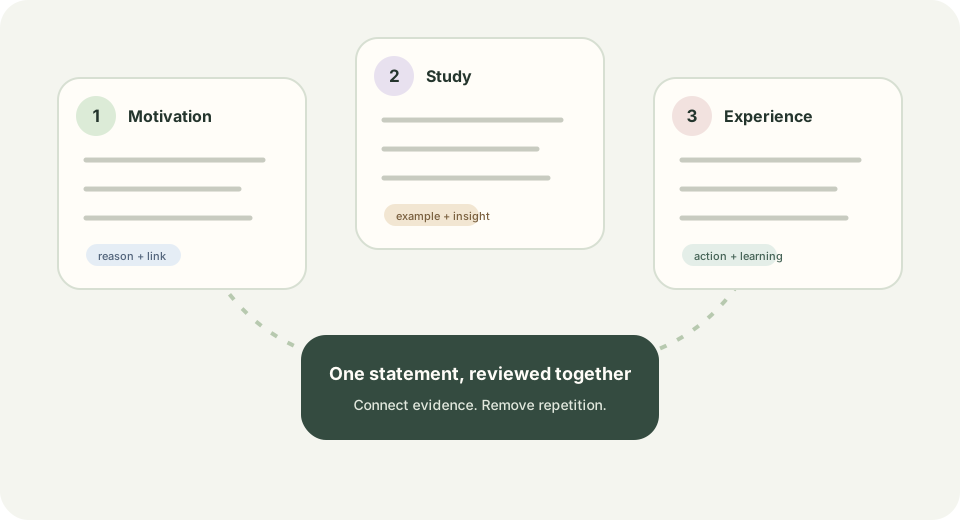
For 2026 entry onwards, UCAS asks applicants to answer three personal statement questions. Each answer has a minimum of 350 characters, and the combined limit is 4,000 characters including spaces. UCAS says admissions staff review the answers together, and applicants can distribute the available characters unevenly where their experience and course make that useful.
This free planner helps you collect your own reasons, examples and reflections before you write. It is not the UCAS application form and cannot predict what a provider will value. Check the latest UCAS instructions and the requirements of each course you are applying to before submitting.
Use evidence, not a list of claims
For each example, note what you actually did, what you noticed or learned, and how it connects to the subject. A specific book, project, question, placement or responsibility is more useful to plan around than an unsupported claim that you are passionate, resilient or a natural fit.
The three sections are read as a whole. Review them together for repeated examples, vague claims, unexplained course links and details you could not discuss honestly if asked. Do not invent experiences, achievements, reading or future plans.
Keep the final statement yours
This worksheet only organizes notes in the current browser page; it does not generate application prose, send entries to a server or save them between visits. Download a local copy if you want to keep your notes, and avoid using the tool on a shared device for private experiences.
UCAS warns that submitting all or a large part of a personal statement generated by AI and presented as your own could be treated as cheating. Its guidance also says applicants must declare that the statement has not been copied or provided from another source, including AI software. Read the live application declaration, current UCAS guidance and each university or college’s rules before you submit. Use this planner to structure your own thinking and write in your own words.
Questions about this topic
How many characters can I use for the 2026 UCAS personal statement?
UCAS states a combined maximum of 4,000 characters, including spaces, across the three answers. Each answer must meet a minimum of 350 characters. Check the live UCAS application counter before submission.
Do the three answers need to be the same length?
No. UCAS says applicants can use the combined allowance across the answers as it suits their course and experience, as long as each answer meets the minimum.
Does this planner save or submit my answers?
No. The planner runs in your browser, does not store or upload entries, and is not connected to UCAS. Use its download button to save a text copy to your device.
Can this planner write my personal statement for me?
No. It provides prompts and character counts only. UCAS advises applicants to make the statement their own and warns against submitting AI-generated text as their own work.
Sources and editorial notes
The supporting reading below informs our editorial guidance. Exercises and scenarios illustrate a method; they do not report a completed product test or measured learning outcome. Read our editorial policy or send a correction with a supporting source to info@ai-essay.com.