 AI Essay

On this page
Free browser tool
Review AI writing feedback, one comment at a time
Trace a suggestion to your draft, check it against the task or evidence, then record what you decide. The log does not score your writing.
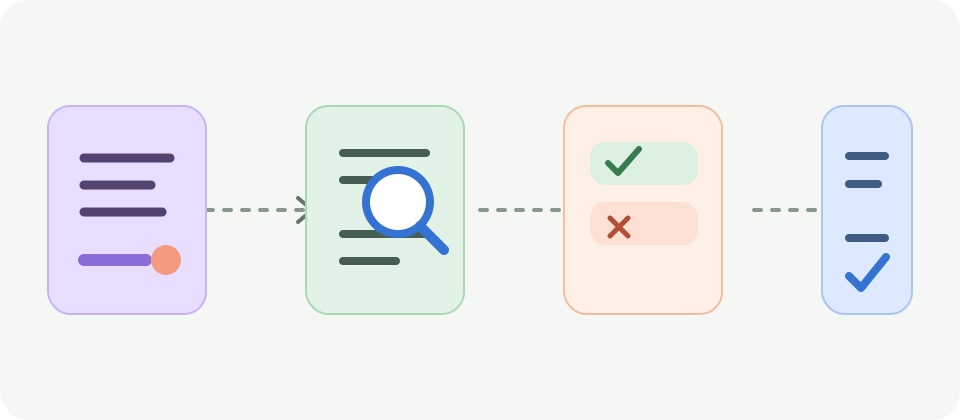
One blank decision record is ready.
Check an AI writing suggestion before revising
AI writing feedback can point to a question worth checking, but its specificity does not prove that a comment is accurate or relevant. Monash’s student guidance recommends reviewing AI suggestions against the writer’s intention, task and academic requirements. Monash’s teaching activity asks students to evaluate the accuracy and usefulness of AI-generated feedback, explain how they used it and then make their own revision decisions.
Use this decision log for one comment at a time. Identify where the comment applies, compare it with the actual assignment criterion or source, and choose what to do. The log records your checks; it cannot perform them, predict a grade or establish that a revision is correct.
Use the AI feedback decision log
Paste or summarize a single suggestion, then record its location in your draft and the criterion, instruction or source that matters. Write what you actually checked. Choose accept, adapt, reject or clarify, add your reason and record the revision only after you make it. Leave a question open when you need more evidence or an instructor’s answer.
The tool runs in this browser tab. It does not upload or automatically save entries. Do not enter names, private student information or a full draft unless your course rules and the service you use allow that. Print or export a copy only if you are permitted to retain these notes.
A constructed example of checking feedback
Imagine a draft says that 8 of 12 students in one seminar preferred a particular study format. An AI comment suggests changing the sentence to say “most students at the university prefer it.” The example is constructed: the only available evidence is the small seminar response described in the sentence.
A careful writer would locate the claim, compare it with the sample and assignment, and reject the broader wording because the stated evidence does not describe all university students. The writer could keep a narrower statement about the seminar responses or seek a suitable source before making a wider claim. This illustrates a reasoning check; it is not a captured AI output or research finding.
Keep your authorship and course rules in view
Check your course’s rules before requesting or using AI feedback. Northeastern’s student guide cautions that AI feedback is not the instructor’s judgment and that students remain responsible for their own writing and applicable course requirements. Requirements differ by assignment, so ask the instructor when the permitted use is unclear.
Do not accept or reject a comment merely because it sounds polished. Ask what passage supports it, what criterion it addresses and whether the change preserves your meaning. If you use feedback in a way your course asks you to disclose, record the assistance accurately in the format your instructor requires.
Understand what the log keeps and what it cannot decide
The page does not use an AI model, assess your essay or decide whether a comment is true. Entries remain in the active tab until you clear or reload the page. CSV export and printing are actions you control; exported files may contain sensitive text, so keep them only where your course permits.
Questions about this topic
Should I accept AI feedback that matches my rubric?
Not automatically. Check the exact draft passage and the instructor’s criterion. A rubric match does not prove that the comment is accurate or that its suggested change preserves your meaning.
Can this tool tell whether an AI comment is correct?
No. It helps you record the passage, criterion, evidence check and your decision. You must verify the comment against your draft, assignment and relevant sources.
What is the difference between accept, adapt, reject and clarify?
Accept means you decide to use the suggestion as written; adapt means you make a different change based on it; reject means you do not use it; clarify means you need a question answered before deciding. These are record labels, not quality scores.
Does this tool save or upload my writing?
No. Entries remain in the current browser tab and are not uploaded or automatically saved. CSV downloads and printouts are created only when you choose those actions.
Is the example from a real student or AI system?
No. The seminar and feedback comment are constructed solely to illustrate checking whether a claim matches its stated evidence.
Sources and editorial notes
The supporting reading below informs our editorial guidance. Exercises and scenarios illustrate a method; they do not report a completed product test or measured learning outcome. Read our editorial policy or send a correction with a supporting source to info@ai-essay.com.