 AI Essay
On this page
Free, local writing tool
Compare two versions of your draft
Paste the original and revised text to inspect additions and removals before deciding whether to keep each change.
0 characters
0 characters
Review the changes
Changes in order
Read the full revised passage and check the source, assignment and intended meaning before accepting a change.
Compare an original and revised draft
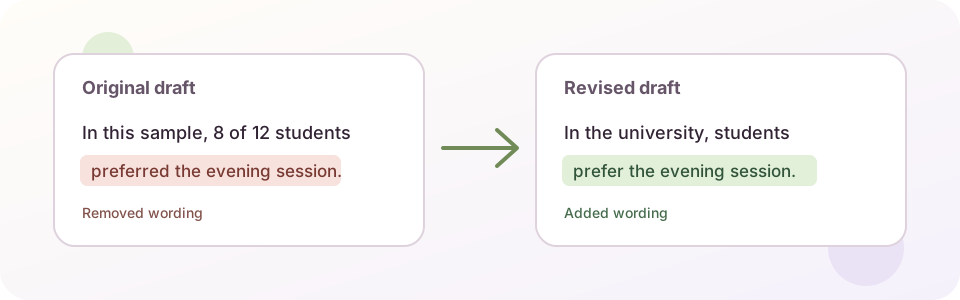
Paste the earlier text into Original draft and the version you want to review into Revised draft, then select Compare drafts. Added and removed text appears in a combined view, followed by an ordered list of changes. Whitespace differences can be ignored when line breaks or spacing are the only changes you do not want to inspect.
The comparison identifies literal text differences. It does not know why a sentence changed, whether a new claim is supported, whether a citation still points to the right source or whether the revision follows the assignment. Read each change in its paragraph and check the surrounding evidence.
Review edits that can change a claim
Start with changes to numbers, names, dates, quantities, causal verbs and qualifying words such as “may,” “some” or “in this sample.” Then check moved or removed citations and any sentence that now sounds broader or more certain. A small wording change can alter the scope of an argument even when the passage still reads smoothly.
For each consequential edit, ask what the earlier wording said, what the new wording says, and which source or assignment instruction supports the difference. Keep an unresolved question visible instead of treating a cleaner sentence as proof that the change is correct.
Understand what the comparison can show
The tool compares pasted plain text in this tab. It does not upload or save your drafts. It has no file upload, document formatting, comments, tracked changes, grammar review or plagiarism detection. A large passage with extensive changes may exceed the comparison limit; compare a shorter section in that case.
The ordered change list is designed to make additions and deletions easier to inspect. It is not a substitute for reading the complete revised draft. After reviewing local wording, read the whole paper once for argument order and paragraph purpose; a sentence-level comparison does not show whether the full structure works.
Supporting reading: [1]
Questions about this topic
Does this tool tell me whether an edit is correct?
No. It highlights text that was added or removed. Check each consequential change against the source, assignment and your intended meaning.
Are my essay drafts uploaded or saved?
No. The comparison runs in the active browser tab. It does not send the drafts to a server or automatically save them. A report is created only when you choose Copy or Download.
Can it compare a Word or Google Docs file?
No. Paste plain text from each version. Formatting, comments, footnotes and document-specific tracked changes are not included.
What if the tool says the drafts have too many changes?
Compare a shorter section, such as one paragraph or a few pages. A bounded comparison avoids freezing the page on very large rewrites.
Sources and editorial notes
The supporting reading below informs our editorial guidance. Exercises and scenarios illustrate a method; they do not report a completed product test or measured learning outcome. Read our editorial policy or send a correction with a supporting source to info@ai-essay.com.