 AI Essay

On this page
Choose a reference type that matches the document
APA reference formats follow the kind of work, not simply how you found it online. A government report remains a report; use the webpage pattern only for a webpage that does not fit a more specific category. Enter a book, a standalone webpage, or a report, then compare the output with the matching APA example.
For a book or report, enter the year, not a month or day. For a webpage, add the publication date shown on the page when available; use n.d. only when the source provides no date. The title should be in APA sentence case. This tool preserves the title text you enter and does not infer capitalization or missing metadata.
Three constructed APA 7 reference examples
These examples use fictional records to show how the supported source types differ. They are formatting demonstrations, not real publications. Check the matching official example and enter details from the source you actually used.
Book: Rivera, L. M., & Chen, A. R. (2024). Learning through inquiry (2nd ed.). Example Press. The edition follows the italicized title; APA 7 book references do not include the publisher’s location.
Report: National Research Office. (2024). Annual findings (Report No. 24-18). The organization is both group author and publisher, so the publisher name is not repeated.
Webpage: World Health Organization. (2025, February 28). Study guidance. https://example.org/guidance. The organization is also the site name, so that name appears only once. The example URL is reserved for illustration and does not identify a real source.
Check the reference against the original
Review spelling, initials, author order, date, sentence case, report number, publisher or site name, DOI and URL against the actual source. APA guidance distinguishes webpages from reports and other document types. If the source is a chapter, journal article, database record, social media post or another work type, choose that specific reference example instead of forcing it into this tool.
This browser tool formats only the metadata you enter. It does not resolve a DOI, look up a source, verify that a webpage date is stable, choose a source type for you or check whether a reference supports a claim. For a complete reference page, use the companion APA formatter; use the journal article builder for periodical articles.
Keep source details in this browser
The reference preview is generated in this browser tab. It does not upload or save author names, titles or source details. Clear the fields when finished, especially on a shared device.
Free APA 7 tool
Build a book, webpage or report reference
Choose the document type and use details checked against the original. Your draft reference updates in this browser.
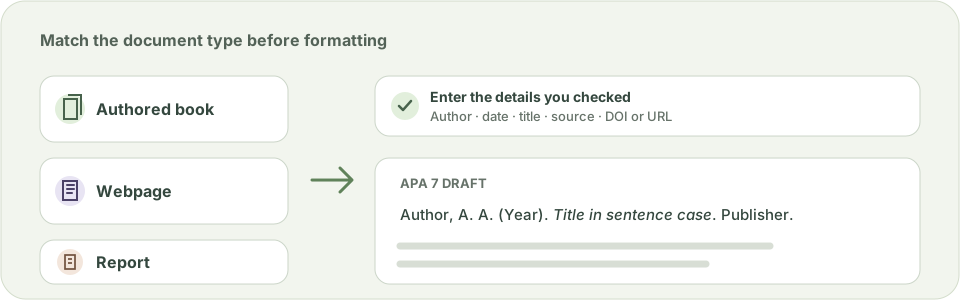
A DOI takes priority over a URL. The tool does not add a period after a DOI or URL. For reports and webpages, confirm the source type before copying.
Reference preview
Enter checked source details to build a draft APA reference.
Questions about this topic
Which APA reference types does this generator support?
It supports an authored book, a standalone webpage and a report. It does not format journal articles, book chapters, social media, datasets, theses or other specialized source types.
Does it find a citation from a URL or DOI?
No. Enter source details you have checked. A DOI or URL is added to the formatted entry but is not resolved or used to retrieve metadata.
How do I enter several authors?
Enter one individual author per line in APA reference order, such as “Rivera, L. M.”. For 21 or more authors, enter the first 19 and the final author and select the long-list option. Use Group author for one organization.
When should I cite a report instead of a webpage?
Choose Report for a work that is itself a report, including a report hosted on a website. APA Style says to use the webpage category only when a work does not fit a more specific document category.
Are the references uploaded or saved?
No. This tool formats your entries in the current browser tab and does not send or save the details you enter.
Sources and editorial notes
The supporting reading below informs our editorial guidance. Exercises and scenarios illustrate a method; they do not report a completed product test or measured learning outcome. Read our editorial policy or send a correction with a supporting source to info@ai-essay.com.