 AI Essay

On this page
Free, local study planner
Build an exam study plan
Set your exam date, list topics and choose the time you can study. The plan stays editable and shows when the sessions do not fit.
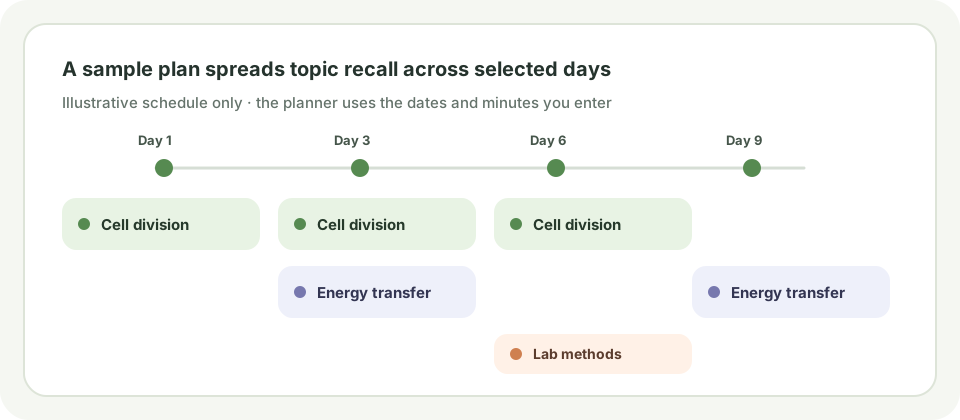
Your working study plan
Sessions that do not fit yet
Add time or study days, shorten sessions or remove a topic, then rebuild the plan.
Plan study sessions by topic
Enter each topic, choose how confident you feel about explaining it without notes, set the date of your exam and describe the study time you can actually protect. The planner proposes one session for a topic you already feel confident about, two for a topic you are still developing and three for a topic that needs review. These are editable planning choices, not a diagnostic test or a prescribed learning formula.
Each session uses the block length you choose. The planner spreads repeat sessions across your selected study dates where capacity allows, then shows any sessions that do not fit. Add study days, increase available minutes, shorten a block or remove a topic to revise the schedule. It does not claim that every topic will take the same effort.
Supporting reading: [1]
Use a session to retrieve, check and repair
Start by closing your notes and writing or explaining what you remember. Answer a question, sketch a process or work a problem from memory. Then reopen the relevant course material, check each part of your attempt, and record the specific gap to revisit. A session scheduled on the calendar is a prompt to practise; it is not evidence that you learned or mastered the topic.
The Institute of Education Sciences What Works Clearinghouse practice guide recommends spacing learning over time and using quizzes to re-expose students to key content. That supports a plan with retrieval sessions spread across the days available. It does not establish a universal interval, a guaranteed exam result or the number of sessions each person needs. Follow your course materials and adapt the plan as you learn more about your gaps.
Worked example: fit review sessions into available time
Suppose an exam is ten days away and you select five study weekdays, with 50 minutes available on each. At 25 minutes per session, the planner can fit two topic sessions on a selected day. You enter three topics: one that needs review, one that is developing and one that feels confident. The editable starting rule proposes three, two and one sessions respectively: six sessions, or 150 planned minutes in total.
The planner places repeat sessions across your available study dates while respecting the daily limit. If two sessions cannot be separated before the exam, it shows the extra session as unscheduled instead of silently adding time. The example is a schedule calculation, not a study trial or a claim that those session counts will produce a particular result.
Check the schedule assumptions
This planner allocates the minutes and study days you enter. It cannot estimate topic difficulty, read your course calendar, judge whether a session was effective or predict a score. It does not reserve breaks, travel time or other commitments unless you account for them by lowering your available minutes.
All entries stay in this browser tab. The plan is not automatically saved or sent to a server. Download the CSV if you want to keep or edit it elsewhere, and remove identifying details before sharing a schedule.
Questions about this topic
How many times will the planner schedule each topic?
It proposes one session for topics you mark confident, two for developing topics and three for topics needing review. These editable planning assumptions help distribute attention; they do not measure mastery or claim to be an optimal schedule.
How should I use each study block?
Try answering a question or explaining the topic from memory before reopening your notes. Check your attempt against course material, record a specific gap and use a later session to retrieve it again.
Does this guarantee I will be ready for my exam?
No. It allocates only the dates and minutes you enter. It cannot assess your understanding, topic difficulty or exam performance. Adjust the plan using practice results and your course guidance.
Are my topics and schedule uploaded?
No. The schedule is generated in your browser and is not automatically saved or sent to a server. Download the CSV if you want to keep it.
What if some sessions do not fit?
The planner lists unscheduled sessions instead of silently exceeding your daily time limit. Add study days, increase available minutes, shorten the session block or remove a topic, then rebuild the plan.
Sources and editorial notes
The supporting reading below informs our editorial guidance. Exercises and scenarios illustrate a method; they do not report a completed product test or measured learning outcome. Read our editorial policy or send a correction with a supporting source to info@ai-essay.com.