 AI Essay

On this page
Choose the NLM pattern that matches the source
ICMJE directs biomedical authors to NLM’s sample references and the detailed rules in Citing Medicine. This builder covers standard print journal articles, journal articles consulted on the Internet, whole print books, contributed chapters in edited books and parts of websites. Each pattern asks for different publication details; check the target journal’s instructions before submission.
“Vancouver” is often used as a broad label for numbered biomedical references, but the exact rules are not identical across journals. This tool names the NLM patterns it implements and does not claim that one output fits every Vancouver variant.
Distinguish a print article from an Internet article
For a print journal article, provide the abbreviated journal title, year, volume and any issue or page information shown in the record. For an article you consulted online, choose the Internet pattern and add its URL and the date you accessed that version. NLM distinguishes the version consulted and shows the medium label, citation date and availability address in its Internet pattern.
A DOI can be added as a persistent identifier, but it does not verify the title, authors, journal abbreviation, publication date or page range. Use the version you actually consulted and compare the final reference with the publisher or PubMed record.
Cite a specific page within a website
This pattern is for a page that is part of a website, not a journal article, book or database hosted on a website. NLM begins with the website’s title and publication details, then gives the specific page title, any separate publication or update date, the date you accessed it, an estimate of its extent and its full URL. If the page has no page numbers, NLM suggests an extent such as an approximate number of screens, paragraphs or bytes.
Check whether the page can stand alone and whether it has its own author or organization. NLM advises citing the most specific identifiable source; a book, journal or database on the site follows its own reference pattern. The page extent field expects the bracketed estimate shown by the NLM examples.
Use a PubMed record as a starting point
For journal articles, enter a PMID or DOI and choose Search PubMed. The lookup sends that identifier directly to NCBI only after you click; it does not search while you type. Choose a candidate by comparing its title and authors with the article you actually used. The selected record fills editable fields for title, authors, journal, date, volume, issue, pages and DOI where those values are present.
A PubMed result is a metadata aid, not proof that you found the correct version or that its details satisfy NLM or a journal’s rules. The journal title is copied as shown in the record and can be corrected if it does not match the required MEDLINE abbreviation. Missing values stay blank. Review the article itself and the target journal’s instructions before adding the draft.
Review the draft against the original record
The output is a formatting draft assembled from the fields you supply. It does not look up metadata, resolve a DOI, check retraction status, confirm that the cited work supports a claim or determine whether a reference is permitted in your assignment. ICMJE says authors are responsible for accurate references and for ensuring that references support the associated statements.
For ICMJE citation-sequence systems, order references by the first time each source appears in the manuscript. Reorder the entries below to match that sequence. The list builder cannot inspect your manuscript, detect citation callouts, reuse an existing number or tell whether a source supports a claim.
Free NLM reference tool
Build a biomedical reference list
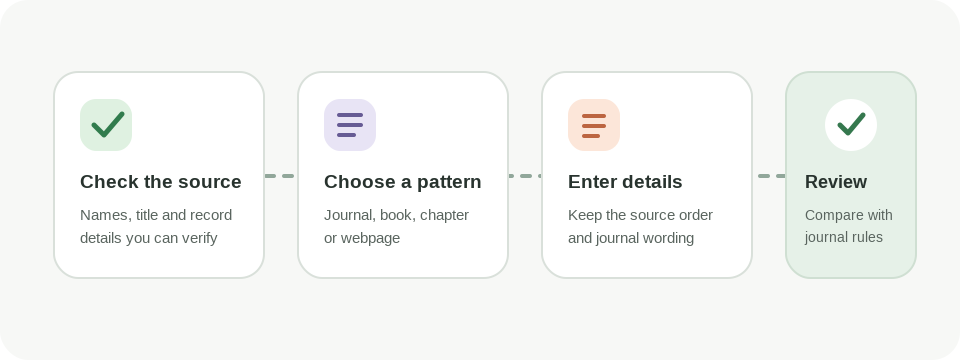
Select the NLM pattern that matches the version you used. Add each checked draft, then arrange the list in citation order.
Find a journal article in PubMed
Search by PMID or DOI. Select a matching record to fill the editable journal fields.
When you search, your identifier goes directly to NCBI with AI Essay’s tool name and contact email requested by NCBI. Nothing is sent while you type; AI Essay does not receive or save the citation form. PubMed records are candidates to review, not verification of your source.
The reference form and list remain in this browser tab. A PubMed search sends the DOI or PMID directly to NCBI with AI Essay’s tool name and contact email requested by NCBI. Retrieved details stay editable; this tool does not verify retraction status, source accuracy or journal requirements.
Reference preview
Enter checked source details to build a draft NLM reference.
Your reference list (0)
Move entries to match the order in which sources first appear in your manuscript.
Add a formatted reference to begin your list.
Questions about this topic
Is this a Vancouver citation generator?
It formats a defined set of NLM Citing Medicine patterns used in biomedical publishing. “Vancouver” can refer to journal-specific variants, so compare the result with the exact journal instructions.
How does the numbered reference list work?
Add each checked entry, then move entries until their order matches each source’s first appearance in your manuscript. The tool numbers the copied or downloaded list in its current order. It cannot inspect the manuscript, identify repeat citations or determine where a source first appears. Some journals use a different system; follow the target journal’s instructions.
How do I cite a webpage with this NLM tool?
Choose “Part of a website” for a page within a site. Enter the site title and publication details, the page title, the access date, page extent and full URL. Use the specific book, journal or database pattern instead when the page is one of those separately citable sources.
Can I look up a journal article by PMID or DOI?
For a journal article, enter a PMID or DOI and choose Search PubMed. The tool retrieves up to five matching records from NCBI and lets you select one to fill editable fields. Check the selected record against the version you used; a match does not verify your source or the NLM formatting.
Does PubMed verify the citation or find every MEDLINE journal abbreviation?
No. PubMed provides candidate bibliographic metadata for indexed records. The journal field comes from that record and may not be the abbreviation required by your target journal or the publication-era title. Confirm every detail in the original source and journal instructions.
Are the reference details uploaded?
The citation form and list stay in this browser tab. When you choose Search PubMed, your PMID or DOI is sent directly to NCBI along with AI Essay’s tool name and contact email requested by NCBI. No search runs while you type, and AI Essay does not receive or save the form fields.
Sources and editorial notes
The supporting reading below informs our editorial guidance. Exercises and scenarios illustrate a method; they do not report a completed product test or measured learning outcome. Read our editorial policy or send a correction with a supporting source to info@ai-essay.com.
- ICMJE Recommendations: Preparing a Manuscript for Submission, References
- NLM: Citing Medicine, 2nd edition
- NLM: Journal articles, Citing Medicine chapter 1
- NLM: Journals on the Internet, Citing Medicine chapter 23
- NLM Catalog: Journals search
- NLM: Books and chapters, Citing Medicine chapter 2
- NLM: Web Sites, Citing Medicine chapter 25
- NCBI: E-utilities quick start and ESummary
- PubMed Help: search fields, PMID and article identifiers
- NCBI: policies for using NCBI data and services