 AI Essay

On this page
Local research data tool
Record each data-preparation decision
Track planned and completed changes between dataset versions. Keep a clear note of the input, output, rule, reason and checks without loading the data itself.
Review details from another tool
Only the displayed dataset label and version are being passed in this browser tab. No rows, variable definitions, file paths or processing events are included.
Review aggregate CSV inspection
This summary contains counts only. It does not include CSV rows, cell values or column names and does not certify or correct the dataset.
Data-preparation log preview
What a data-preparation log records
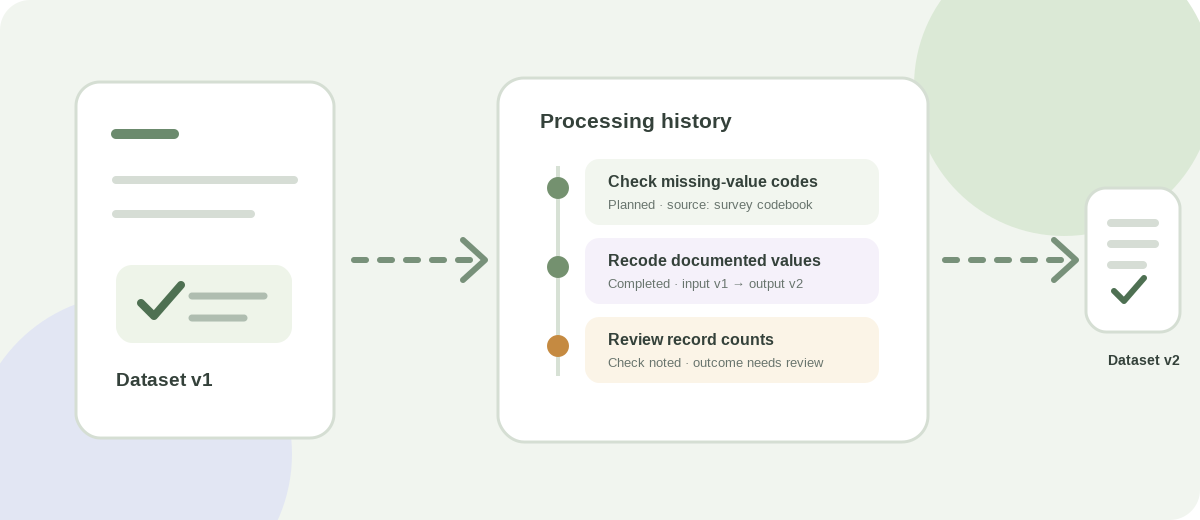
A data-preparation log records the sequence of decisions applied to a dataset. For each event, note whether it was planned or completed, the input and output version, the fields or files in scope, the rule, the reason, the record counts before and after, the checks performed and any unresolved issue. Keep a reference to the script or source documentation when that can be shared safely.
This is different from a data dictionary. A dictionary explains what variables and codes mean; a processing log describes changes made between files or versions. A plan written before analysis is also different from a record of what was actually done. Keep planned steps and completed steps clearly marked.
Document cleaning and transformation decisions
Record a specific operation rather than a general note such as “cleaned the file.” Identify whether the event imported or converted a file, applied a documented correction, excluded cases, handled missing values, recoded a response, derived a measure, merged files, reshaped data, or checked disclosure risks. Describe the rule in words and reference a script or command version where appropriate.
When an operation changes values, record the reason and source for the decision. If a script is available, keep its actual source file separately under your project rules; a reference in this log does not preserve or verify the code. Note counts before and after when they help explain the scope, but do not treat a matching count as proof that a transformation was correct.
Keep revisions and quality checks inspectable
Version labels help connect a processing step to the input and output files. For a correction, add a new event that cites the earlier event and describes what changed. Preserve earlier exports according to the research team’s retention rules. This worksheet is editable and user-managed, so it cannot prove that an entry was never changed; it is not a tamper-evident audit system.
List the checks that were actually performed and their results. These may include comparing expected and observed columns, checking row widths, confirming recode totals or reviewing unusual values against the questionnaire. State what remains unresolved. A written note does not independently validate the file or establish that it is safe to share.
Use the local data-preparation log
Enter a non-sensitive project and dataset label, then add one event for each planned, completed or abandoned step. Include a date, version labels, scope, method, reason and checks where relevant. Download Markdown for a readable processing history, CSV for a spreadsheet-oriented event table, or JSON to continue editing in a later session. When preparing a documented release, continue to the README builder with only the dataset label and current version; review the transfer before applying it.
The log does not load, change, clean, validate, anonymize or upload a dataset. It does not run code, inspect row-level values, enforce approvals or guarantee reproducibility. Do not paste participant details, confidential records, file paths, credentials or raw data. Review exports and store them according to the access, privacy, retention and data-management rules for the project.
Questions about this topic
What is a data-cleaning log?
It is a record of the steps and decisions applied while preparing data, such as corrections, exclusions, recodes, derived variables and quality checks. A useful entry identifies the dataset versions, scope, rule, reason and checks.
Is this the same as a data dictionary?
No. A data dictionary describes variable meanings, types, units, categories and missing codes. A processing log records changes made between dataset versions. A project may need both.
Does the template clean or validate my dataset?
No. It stores only the notes you enter in the current browser tab. It does not load a dataset, run code, repair values or verify that the resulting file is correct.
Can I use the log as an immutable audit trail?
No. The entries can be edited and the downloaded files are not tamper-evident. Follow your institution’s requirements for protected, version-controlled or regulated records.
What should I enter after discovering an earlier log entry was wrong?
The workspace asks you to add a correction or reversal note that references the earlier event. Keep the earlier version of the exported log if your project’s retention rules require it; the browser tool cannot enforce history preservation.
Are dataset rows uploaded or saved automatically?
No. The tool does not accept or load dataset rows and does not automatically upload or save log entries. Download a copy to preserve your notes, then store it under your project’s access and retention rules.
Sources and editorial notes
The supporting reading below informs our editorial guidance. Exercises and scenarios illustrate a method; they do not report a completed product test or measured learning outcome. Read our editorial policy or send a correction with a supporting source to info@ai-essay.com.